Constant breach risk: Manually recalculating thresholds to find which loans were approaching breach.
Redesign of a shipped collateral system for an institutional crypto lender — a monitoring table and a rebuilt loan form, both reading from one accurate LTV.
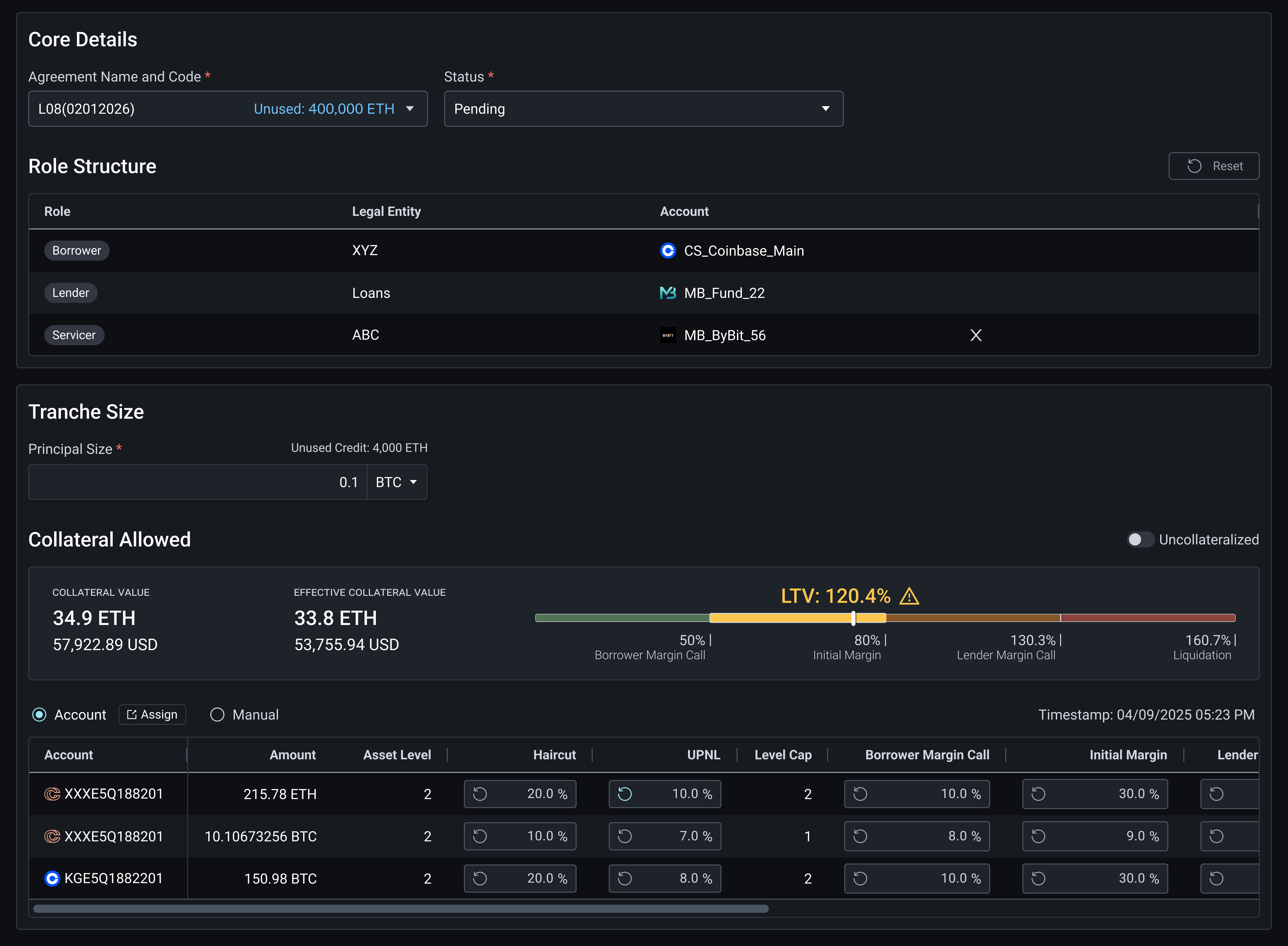
By the time the user noticed, the loan was already past its threshold.
LTV shows how close a loan is to its risk threshold. There was a window before that point, while the loan was still recoverable. Nothing surfaced it — since LTV was calculated by hand, the user only found out once the number had already crossed.
The MVP covered loan creation, not the rest of the lifecycle
Users could create a tranche, save a draft, and return as the negotiation progressed. Two signals arrived after release: screen recordings showed users struggling inside the Tranche form, and a client reported the LTV calculation was inaccurate. The request was to fix the calculation. Before designing, I ran interviews with operations managers to understand where else it broke down.
The number was wrong, and nothing showed risk building
A loan moves through three points: Initial Margin, Lender Margin Call, Liquidation. Between the last two, the lender can still act.
1The LTV calculation was structurally incomplete — accounts unlinked, balances updated by hand across dozens of sub-accounts, currency discounts missing. A number that looked accurate but wasn't.
2The Create Tranche form had outgrown its structure. Recordings showed users scrolling up and down, hunting for fields.
3Users read loan health by urgency, not by data. That window needed to be visible as a state, ordered ahead of everything else.
“Anything that’s approaching cut off should be your first escalation.”
— Operations manager
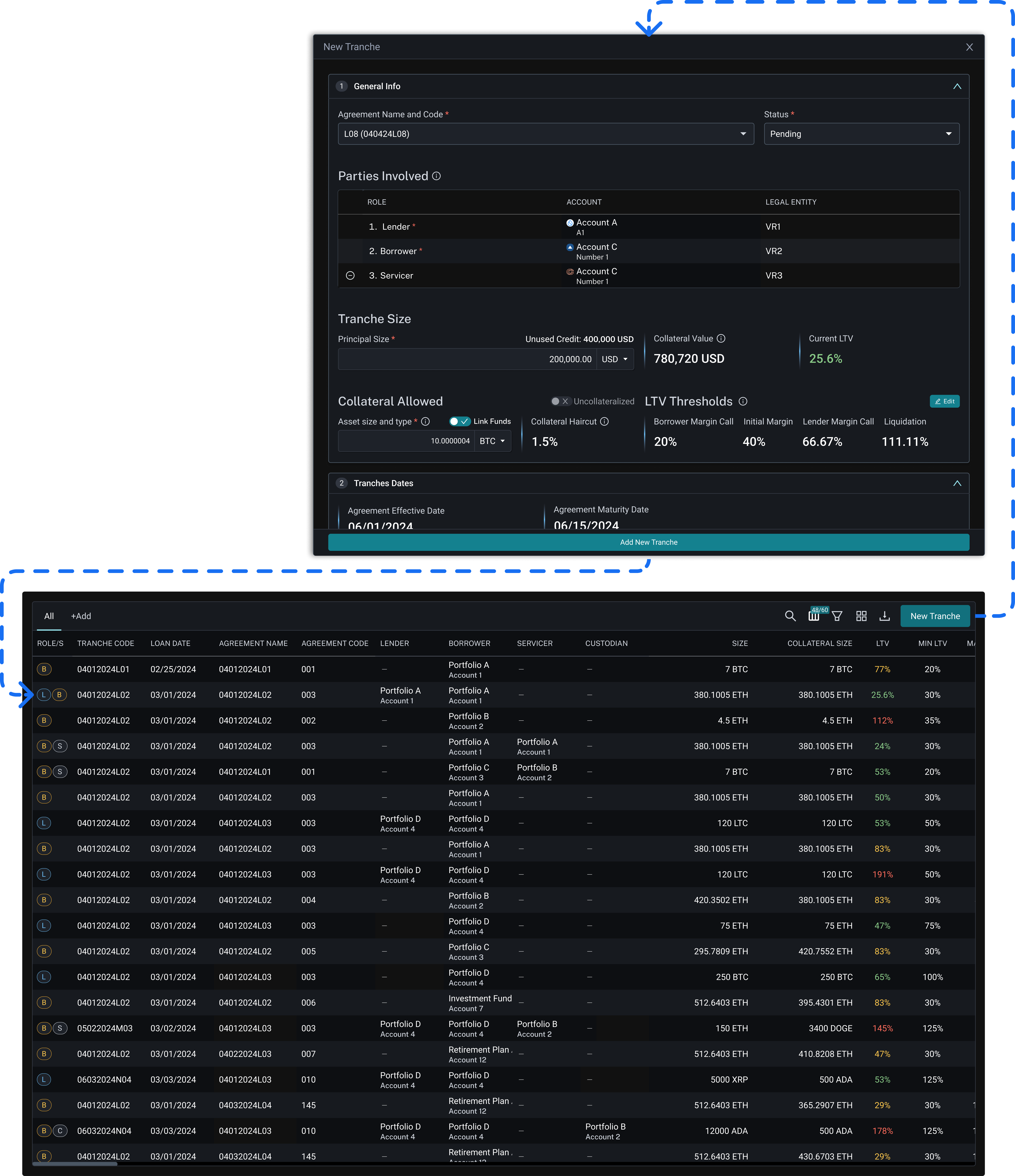
Two surfaces, one workflow: monitoring and acting on a loan
1Link the accounts and apply the discounts, so LTV updates live while editing instead of appearing after saving.
2Restructure the form by dependency — mandatory, conditional, and dependent steps — with account linking as its own step.
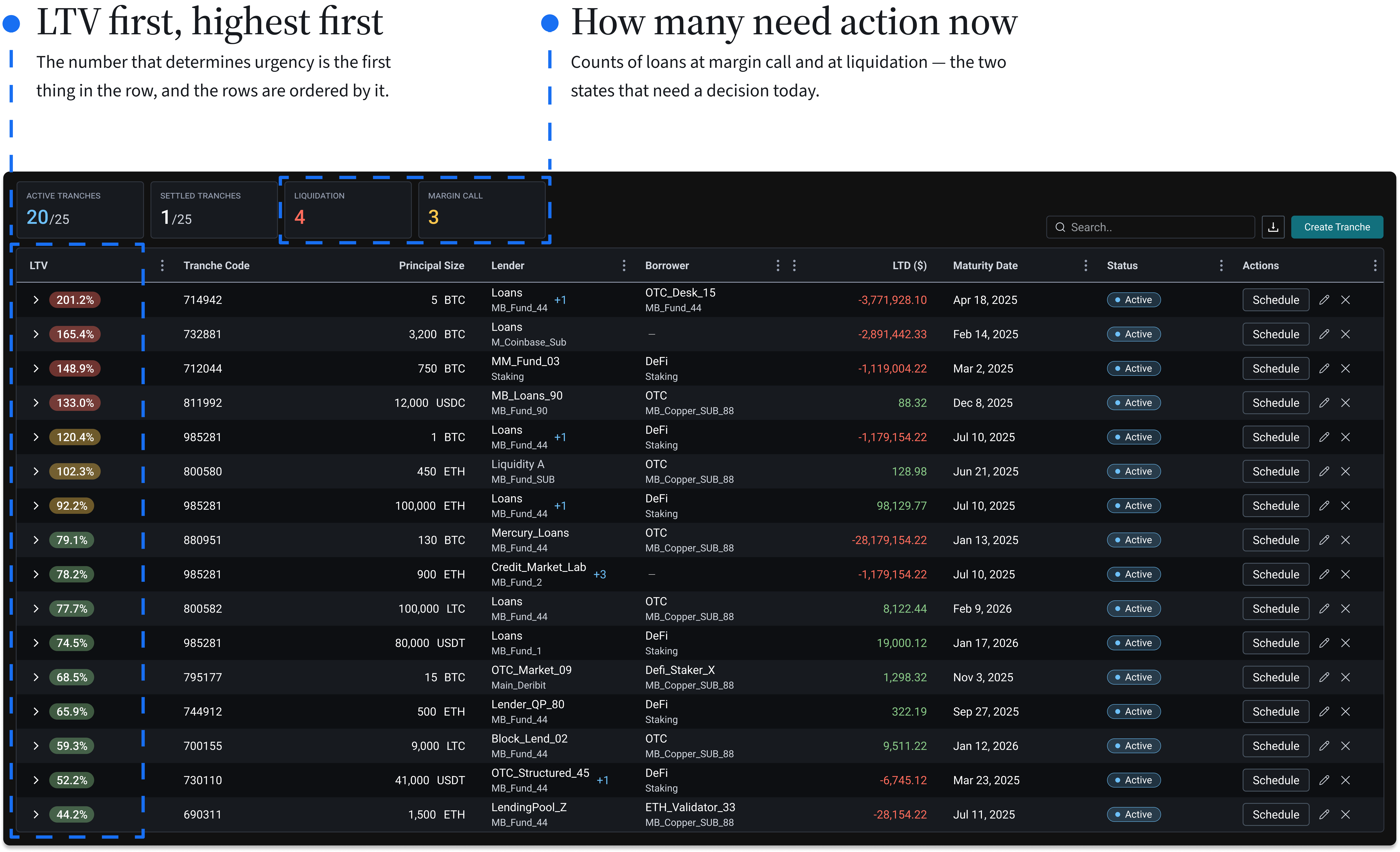
3Surface the escalation state as the first column, ordered by LTV with the highest first.
Create Tranche: From a Static Form to a Live Calculator
The previous modal supported quick edits over days. As the form grew, that mental model broke. The wizard fixed the structure, but at a cost: users leave the table to enter a dedicated flow. A navigable side panel with labeled sub-steps compensates — structure and progress always visible, no matter where they are in the process.
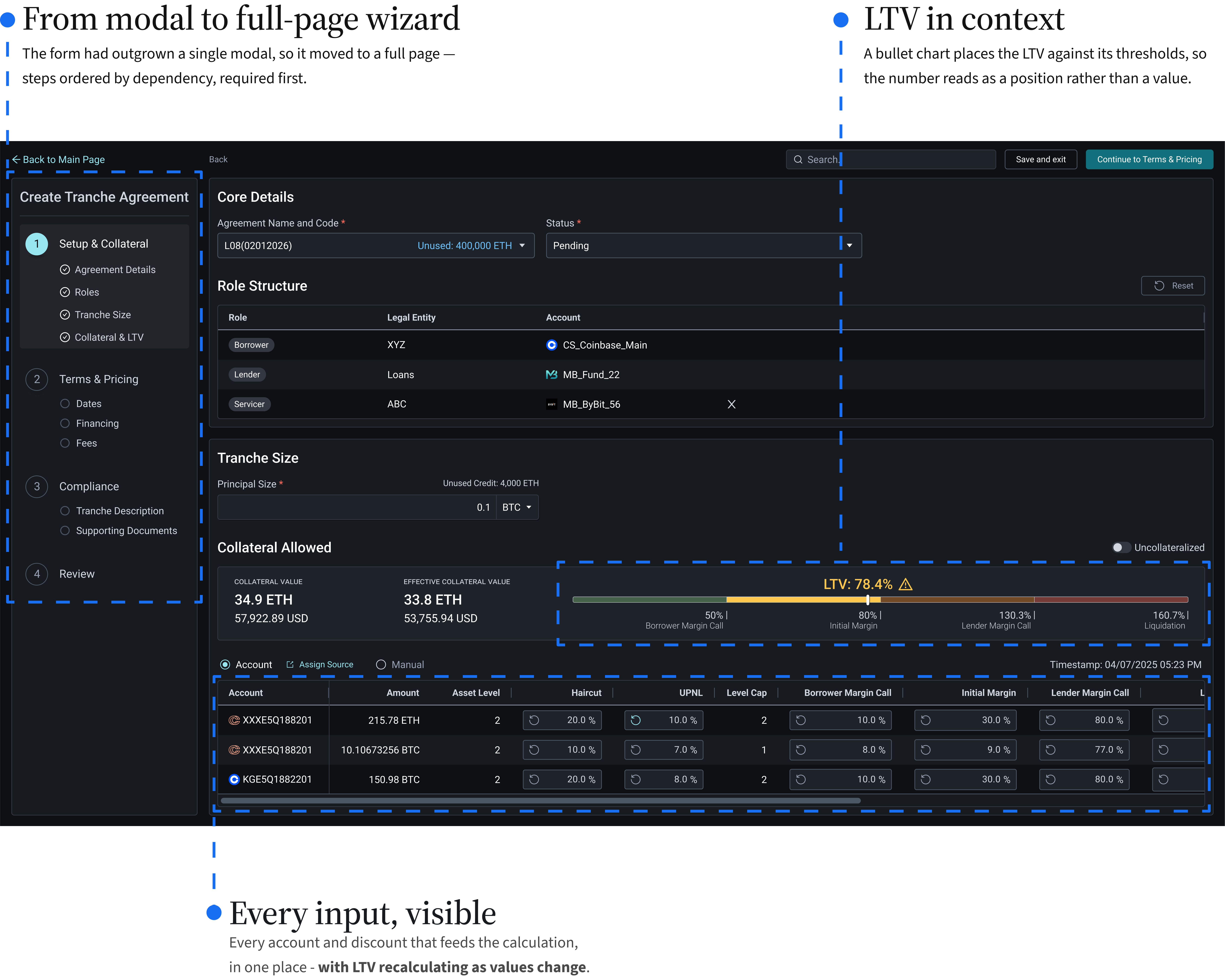
Add an account, see the LTV move
Selection opens in its own modal — a sub-task the original modal couldn't hold. On return, the LTV updates.
Which loans need action, at a glance
The Tranches page opens on this table — every loan in one place, monitored from here. Create Tranche, top right, opens the wizard.
What Held, What Moved Elsewhere
Walked the screens through a structured review with an operations manager who'd run institutional lending desks in both traditional and crypto finance.